ASD Essentials in 5 minutes

Understand what ASD Essentials is, how it works and where to start.

What Is ASD Essentials?

ASD Essentials is a free cyber security standard from the Australian Signals Directorate. Released in October 2026, it replaces the Essential Eight and explains which security outcomes matter most, what actions to take and where to start.

The series is organised into environment-specific chapters. Each follows a common model, with guidance tailored to the threats, risks and operational needs of that environment.

Current chapters cover enterprise IT, cloud and operational technology (OT).

How It Is Structured

Each ASD Essentials chapter uses principles, actions and domains to set out the security outcomes organisations should achieve, the steps they need to take and where those requirements apply.

Principles

Principles define the security outcomes organisations should achieve. They come directly from ASD’s Information Security Manual (ISM) and retain their ISM IDs, such as GOV-01.

They are grouped into six functions: Govern, Identify, Protect, Detect, Respond and Recover.

These reflect how security works in practice, from setting direction and understanding risks to preventing attacks, handling incidents and restoring operations.

Actions

Actions turn a principle into specific, practical steps you apply to your systems. Think of them as controls that support the security outcome.

Actions describe what must be achieved without prescribing a particular vendor, product or architecture. Organisations can select controls that suit their environment and obligations.

Domains

Domains group business functions and assets that share similar security risks. They help you identify where each action applies.

Technical domains cover parts of your environment, such as boundary services, identity services and user devices. The two capability domains, Governance and culture and Visibility and response, apply across the organisation and support every technical domain.

Priority Phases

ASD groups technical domains into priority phases, starting where improvements can reduce risk most quickly. The phase numbers show the recommended order of work.

Priority phases help organisations sequence technical implementation in a prioritised and risk-informed manner rather than attempting to uplift the entire environment at once.

Putting It All Together

Functions group related principles, and each principle sets out practical actions (controls). These actions apply to technology domains, organised into priority phases that show ASD’s recommended order of work.

How to Measure Your Progress

Rate each action as not effective, partially effective or fully effective. ASD describes what each rating looks like in practice, helping you base your assessment on evidence. The ratings contribute to a score for each domain, so you can track progress over time.

Select a rating to see ASD’s description for an example action.

    Moving from the Essential Eight

    ASD Essentials for enterprise IT builds on the Essential Eight. Every Essential Eight strategy maps to at least one principle in the broader framework.

    Your existing controls and tooling can support ASD Essentials actions where they achieve the required outcomes. Evidence you have already collected can also help demonstrate implementation.

    Start with the Essential Eight

    The ASD Essentials Navigator is a free app that helps you apply ASD Essentials to your organisation, across enterprise IT, operational technology and cloud.

    If you already know your Essential Eight maturity, start in the Ess 8 view. Select your level for each strategy and the Navigator suggests ratings for the linked actions, giving you a quick starting point to review.
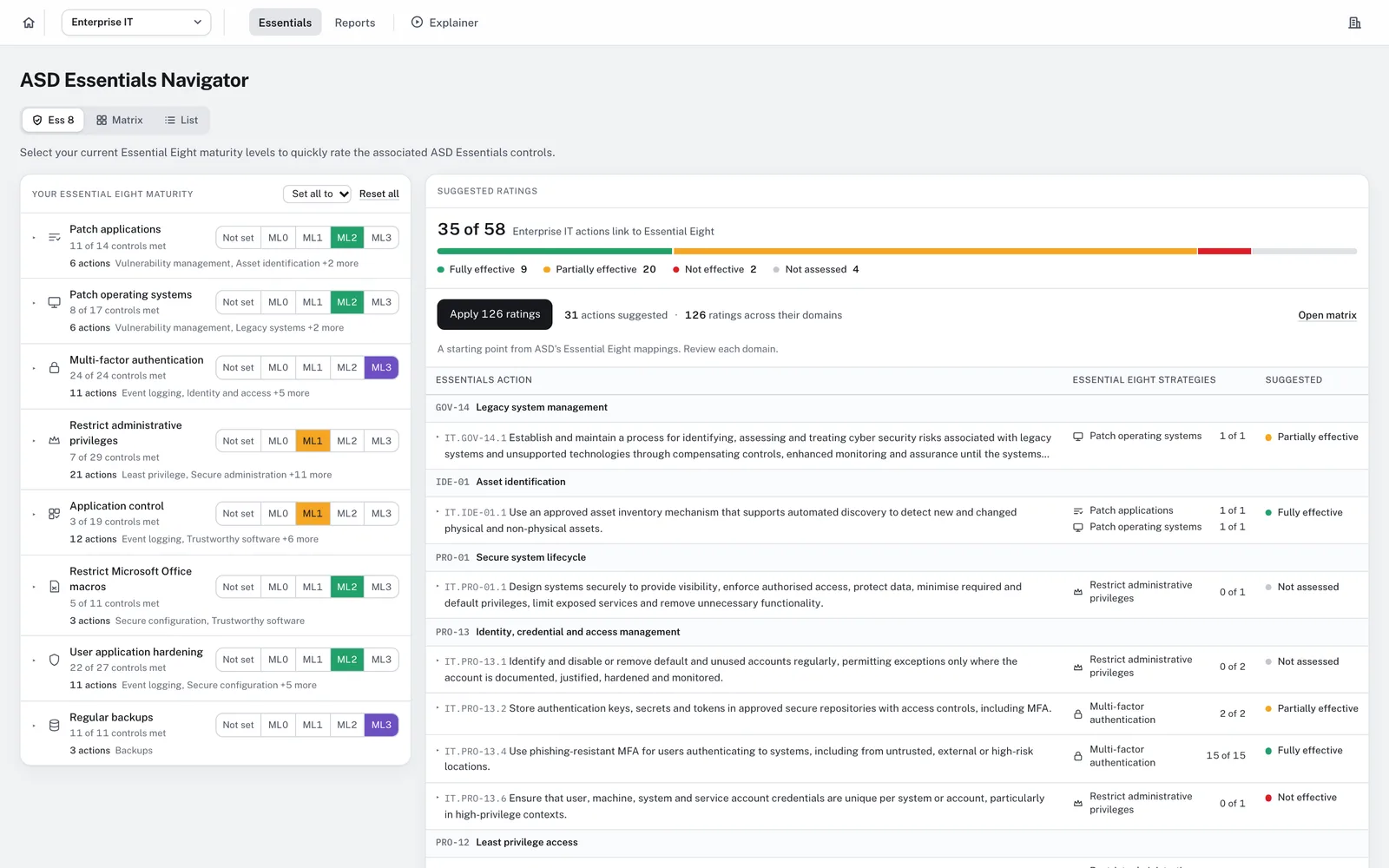
    The Ess 8 view with a maturity level selected for each Essential Eight strategy and the suggested ratings for the linked actions

    Assess in the Matrix

    The Matrix view shows every principle by domain and priority phase. Open a cell to rate its actions using ASD’s indicators. If you need guidance, Help me rate this shows what each rating means, and its short yes/no questionnaire suggests a rating.

    As you assess, the matrix shows your results. Filter for Not effective to highlight gaps and see which principles and domains they affect.
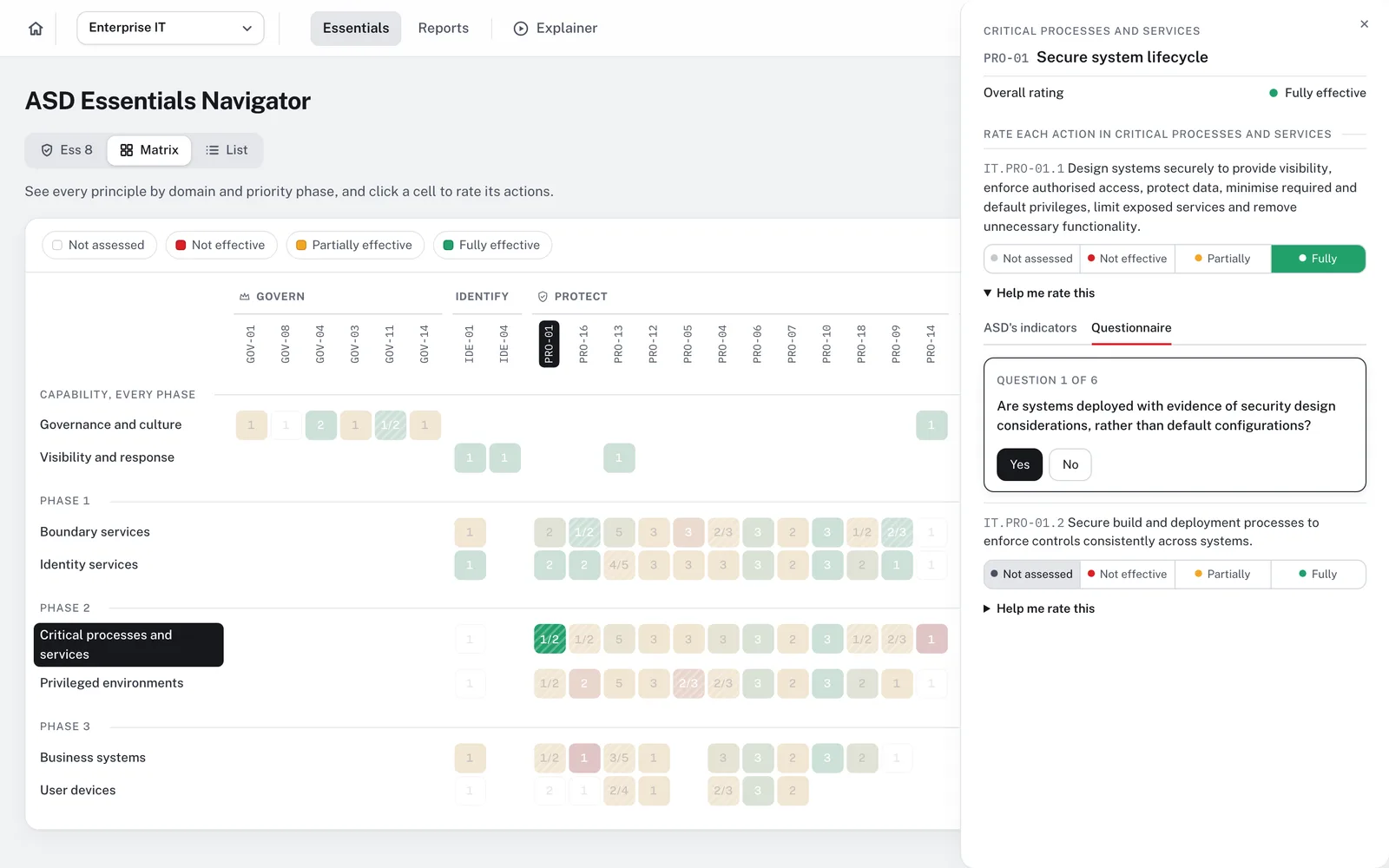
    Rating actions in the side panel with a questionnaire question

    Work Through the List

    The List view shows every action in one table, with its rating in each domain. Search by keyword, or filter by priority phase, domain, function, Essential Eight strategy or rating.

    Open an action to rate it and to see ASD’s indicators and the Essential Eight, ISM and MITRE ATT&CK references it maps to.
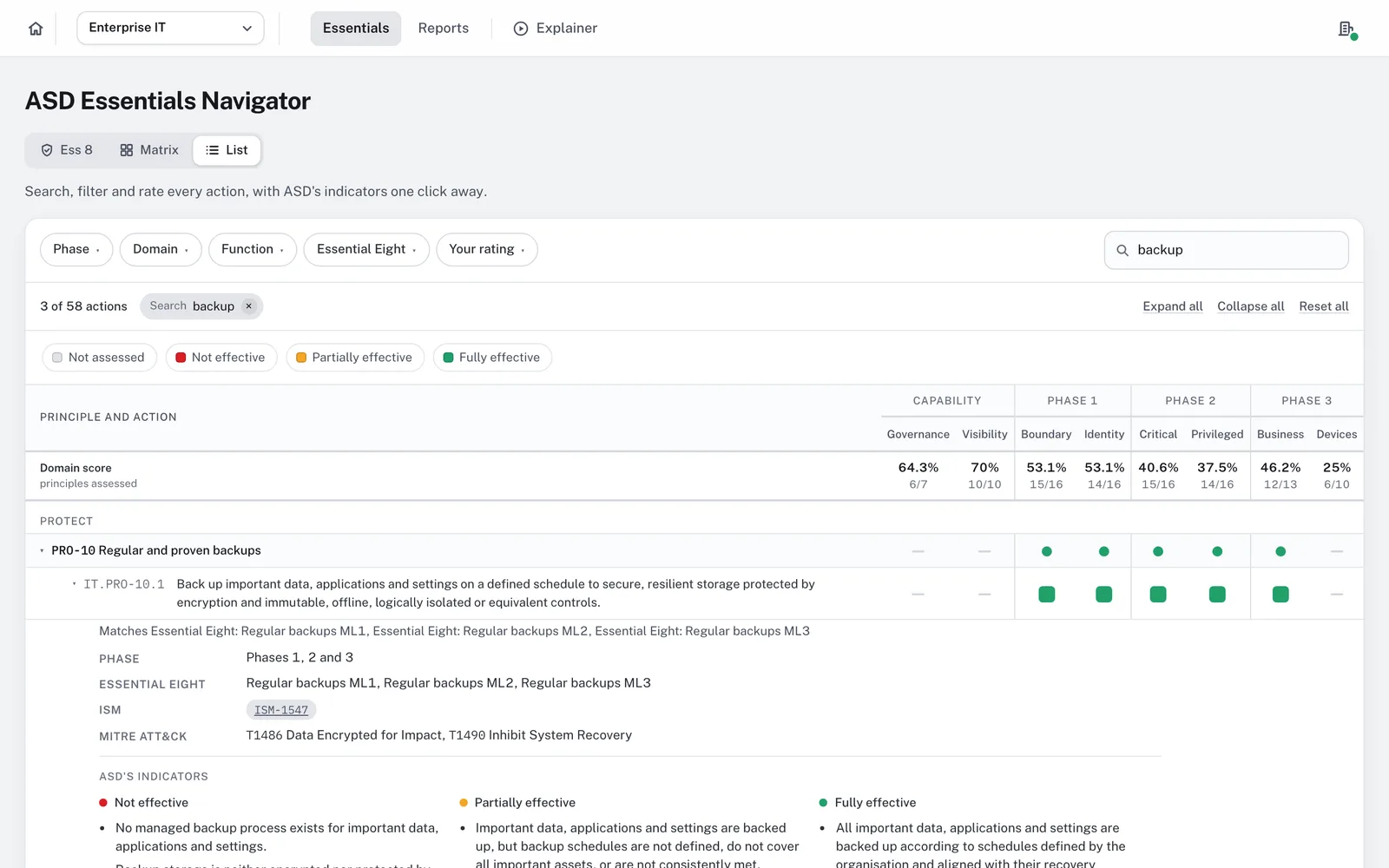
    The List view searched for backup, with one action open showing its references and ASD’s indicators

    Report and Export

    Reports gives you a summary of your current security posture, including domain scores by priority phase and the priorities to address now, next and later.

    Print it or export an Excel workbook. Use it to plan improvements and brief your team and stakeholders.
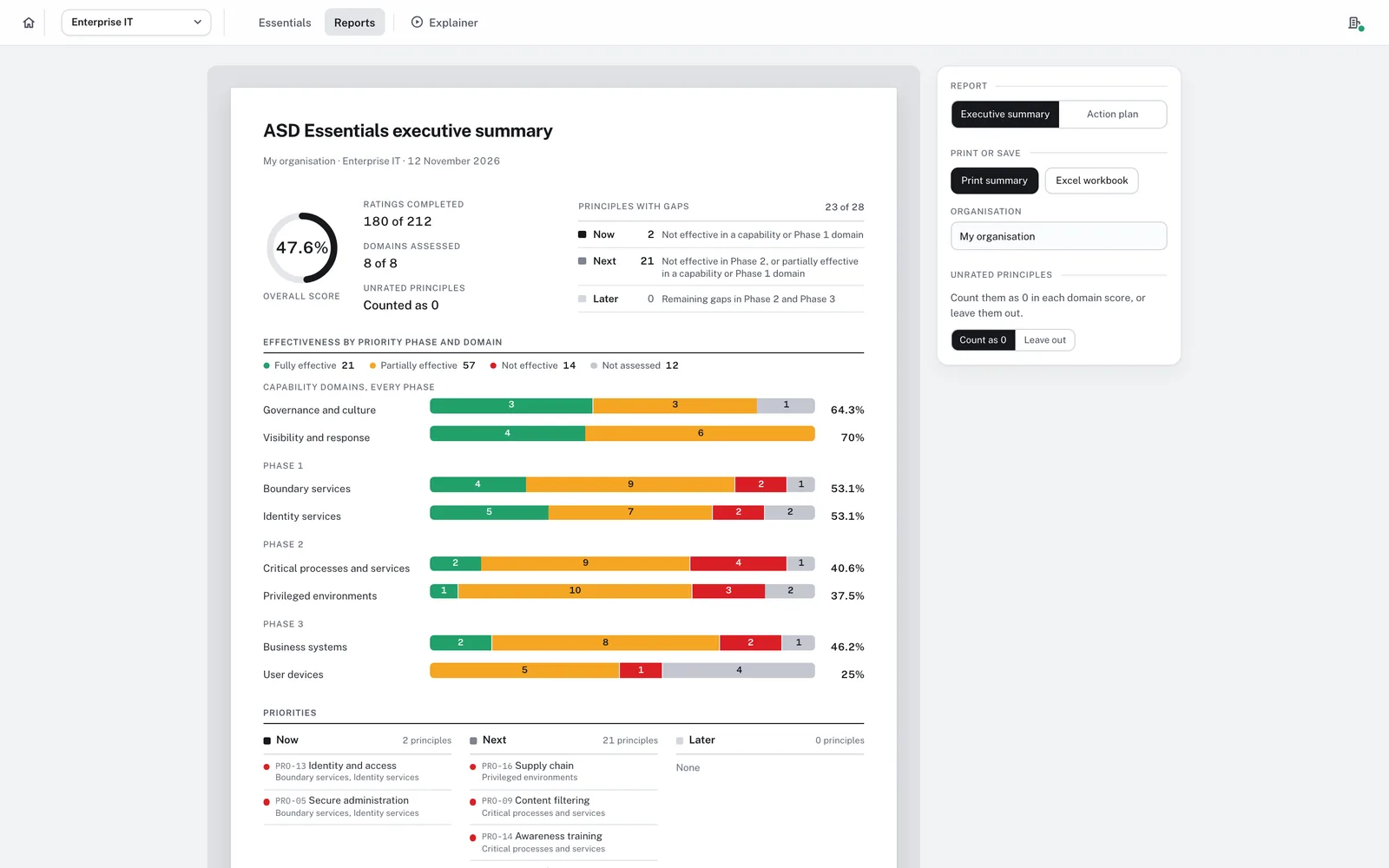
    The executive summary with the overall score, domain bars by priority phase, the Now, Next and Later priorities and the print and Excel options

    Thank You

    Open the Navigator
    Back to home